Thank you for registering for the ESLCO Course

This course takes 16 weeks to complete.  

Week 1 is now available!

Each week, you will be provided with new content.

Carrie and Tyler sitting on a picnic table

How do I enter the ESLCO course?  

To gain access to this course follow the 5 steps listed below.  
Step 1

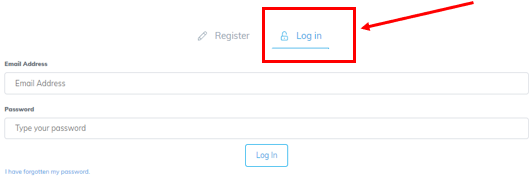
Go to https://elevationenglish.com/ and then Login using your Email Address and your Password. 

How to Login to Apprentice Course - Step 1

Step 2

Select Course Dashboard from the School drop-down menu.


How to Login to Apprentice Course - Step 2

Step 3

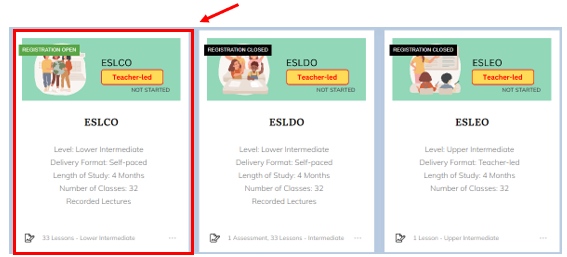
Once in the course dashboard, find the ESLCO course, and click on the label to enter.


ESLCO Enter Button


If you are unable to locate the ESLCO course within the Course Dashboard, you can:

  1. 'Search' for the course entering ESLCO into the Search Input Box at the top of the page.  
How to Login to Apprentice Course - Step 4


  1. Click on the Load More button at the bottom of the page to view additional courses.
How to Login to Apprentice Course - Step 4b


Step 4

Once you click into the ESLCO course watch the Welcome Video for additional information. 


How to Login to Apprentice Course - Step 4

If you experience any problems entering the ESLCO course, you can send an email to:

 tyler@elevationenglish.com 

>